
Today I want to share with you all a couple of art pieces that I have created. I am in the process of learning pixel art from scratch and I want to talk about the process I am going through to learn. I am planning to make this a semi-regular article type.
First art piece and the very beginning.
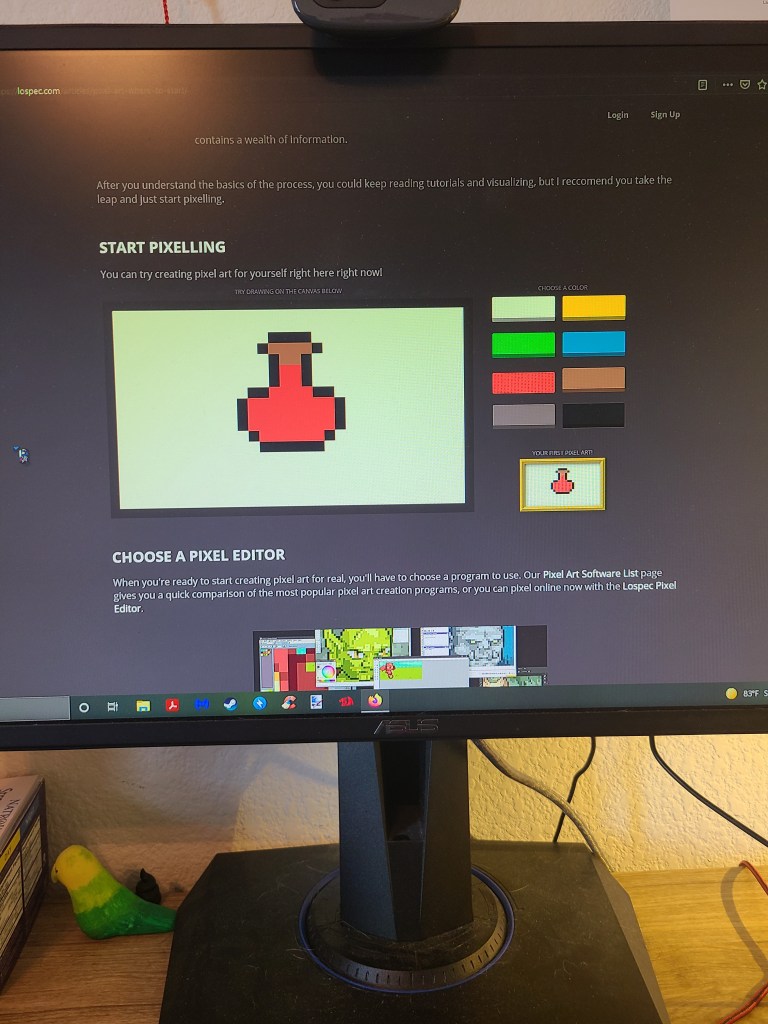
Please disregard the quality of this image, as I was never originally intending to share these pieces when I first created them. I took a quick pic on my phone to share with my friend and send them to her. After the third one I sent she said that I may as well share them out as I seem so proud of them. Hence you will see later that I take screen shots.
I started learning because I realized I wanted to try something new, and I absolutely love pixel art in older and current games. I have no history whatsoever in art, but I wanted to start with an art medium that I would enjoy. So I googled some beginner tips and this webpage popped up with my favorite key advice, which was just to start doing. They said one of if not the best way to improve is to just practice and start hence the very simplistic pixel art software. I used that to make four different pixel art projects and this health potion is the first of those.
Second piece of art created.
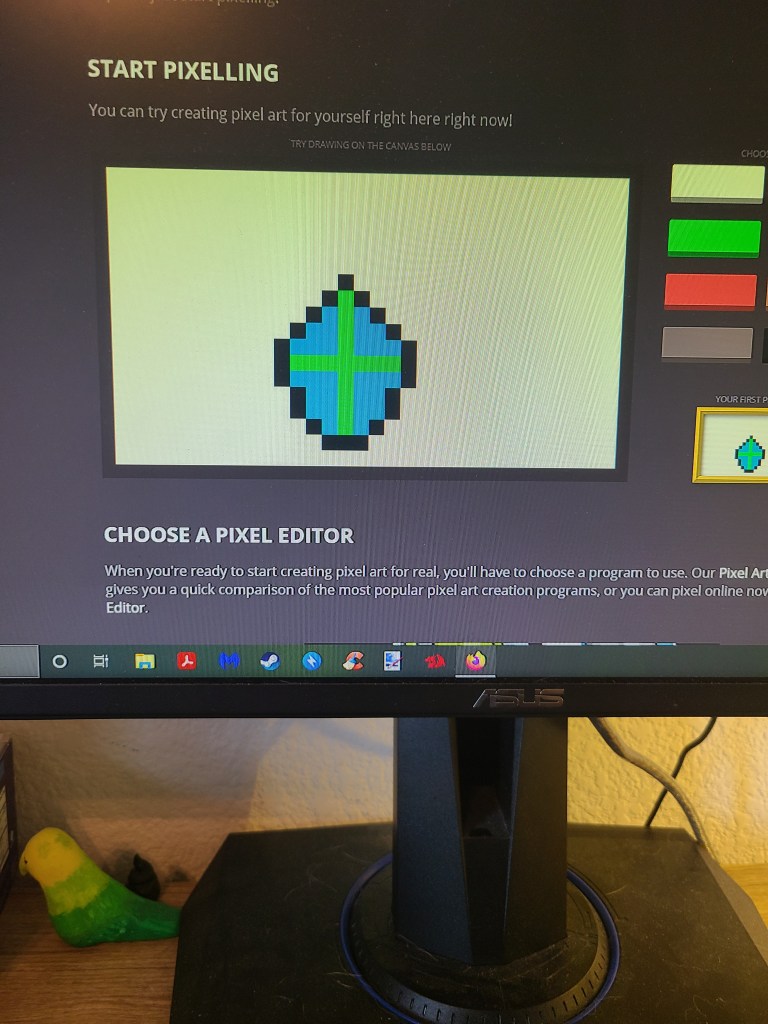
The second piece that I created above is a bit more abstract. I started by trying to create a face, and absolutely hated the outline figure. Then I realized that art can be whatever I want, and I wanted to repurpose that outline figure into something else. What do you all think it looks like, I made it with a green cross and blue holy water, to maybe make my own holy water grenade like in Castlevania, but enclosed. It is very much up to interpretation, I had a friend say that it looked like a gaming buff icon.
Art three.
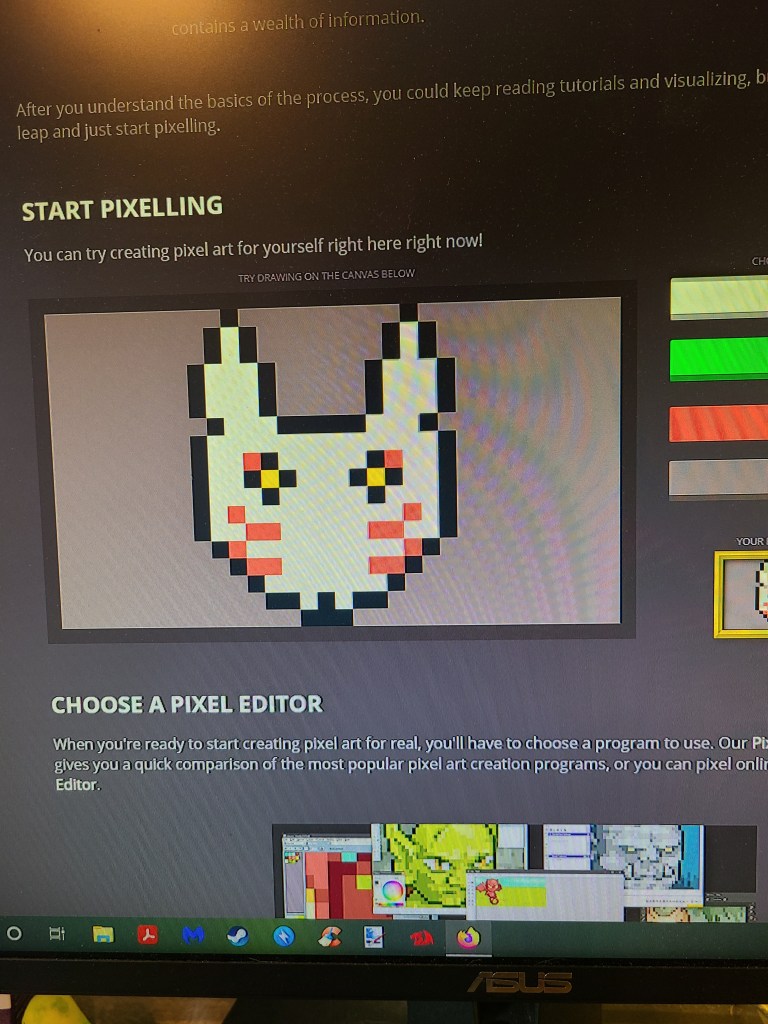
This one was never shared over on my twitter like the previous two and the next one. I did this based off of Ferdy over on twitter, because I met her on Michiko’s streams and she is a really good friend and incredibly funny. When I improve I can easily see myself doing fan art of other vtubers that I really like and appreciate as well. I hope you all can tell what it is, as I was especially proud of making this in such a simple program!!
Final simple art piece.
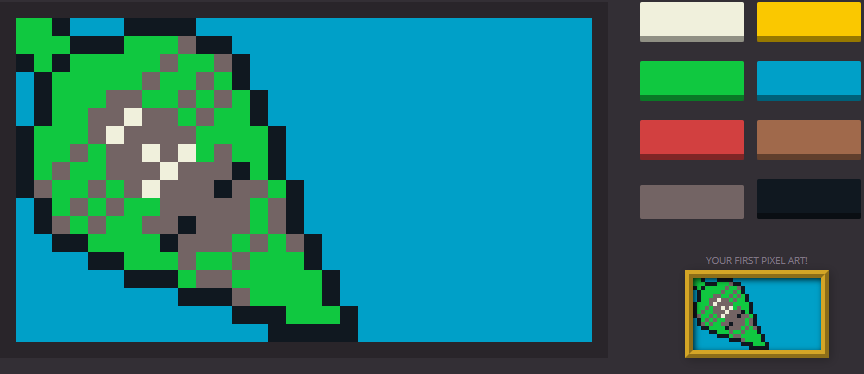
This piece is an interesting piece. First off I am sure you can tell that I screen captured this piece instead of taking the picture with my phone. This is because by this piece, I was already set on sharing my art over on twitter. Seeing there was no save function for my older pieces, I only had access to my phone pictures for those.
I wanted this to be a challenging piece for me. I have a hard time making anything that is just not straight on vertical pieces. If you notice, each of the ones before I created from the bottom up and I wanted to try and make one from a side view instead. To make it easier on myself, I built it from the corner to look like it was coming from off screen. I quickly learned the problem with this perspective and the limitations of the art program when I made the spider on the leaf. I was unable to save and edit later so I had to settle for this look and design, but I already know a couple ways I would change it. Hence the next and last artwork.
Currently in the works piece.
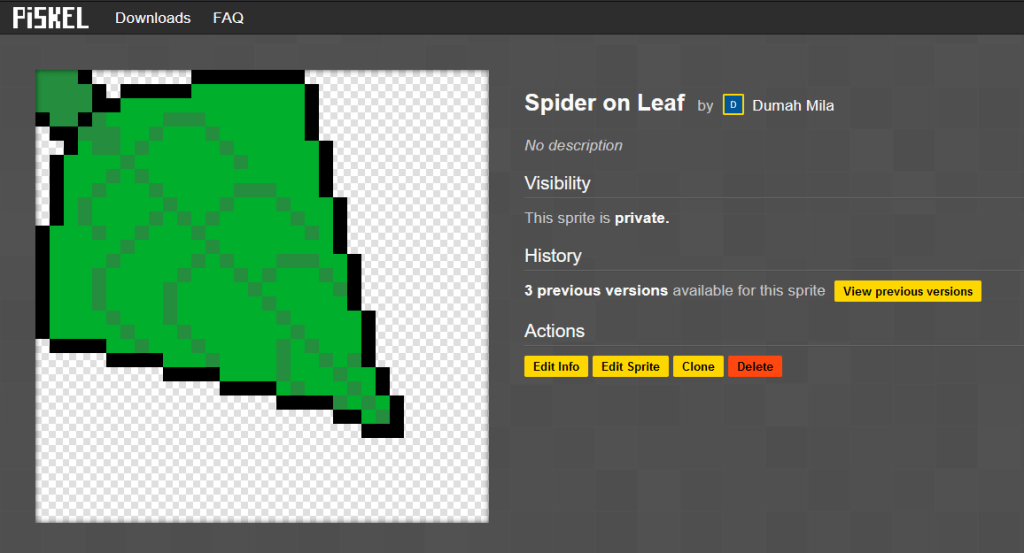
As you can see, I was done trying to learn with the simple art program they had up on their site. I am sure that the previous program was more of a tutorial one time piece, not meant for further learning than that. I already hit a road block with the previous program and wanted more so I moved onto Piskel.
This piece itself is sort of a remake of my spider on the leaf, but I am still learning pixel art quite obviously. I want to see what I can create with a more in depth creator tool, and it has been a challenge. I went and edited the shape of the leaf about a dozen other times and even did a small edit right before posting it here today. This was also the first time I was using a reference for a piece of art that I was creating and will continue using references for the spider as well.
The learning process.
As with all things, when someone is curious or wanting to learn more you go and read up on it. Especially in this day and age when the phrase “just google it” has become so common in response to someone’s question I did just that. I googled where to start with pixel art and some beginner tutorials. This was where I found the site that had the simple pixel art creator on the front page. This led to me creating all the simple ones you see above before reading much more into tutorials. Then when I learned the limits of that, I moved on to skim some tutorials about anti-aliasing, shading, dithering, etc. Now I only skimmed these and I am unsure how to use them, but I want to learn and try to put them into practice.
Conclusion.
I will be sharing most of my artwork and progress over on my twitter, and I am very glad to take constructive criticism and pointers on my art. I do plan to continue sharing them over here as well, But I would need to share about 5 at a time to make a post reach my usual length. Unless you all have ideas of what you would want me to talk about with every single piece that would fill up my usual length, or simply just want to see them that badly even if it is a short post I would be willing to do so as well.
As always thank you all for reading this post, and with this one enjoying the art. Again, criticism and pointers are welcome but keep in mind these are literally the first artworks I have ever created ever, so there are obvious skill limits that I have working on this. If you really liked it please leave a like here I really appreciate it and give me a follow over here or on twitter or both! I hope to see you all tomorrow for my next Vtuber Spotlight!!!
 Dumah's Vtubing Blog